Tired of switching back and forth between your browser and the Wordscapes game and get sometimes disconnected from the game? We did a nice work to give you the opportunity to avoid that. We built an audio player for you. You can just listen to the answers in the background while you swipe the letters. Heres how to set it up in 3 easy steps.
Start the Player
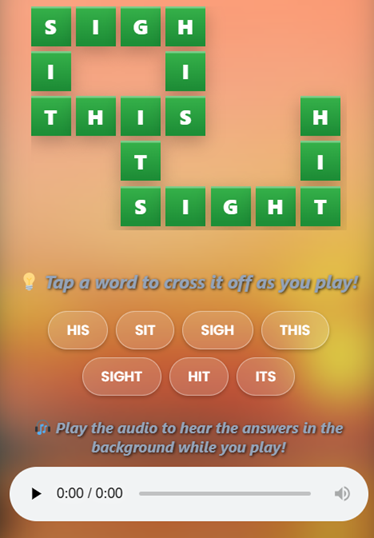
Go to the level you are currently stuck on. Scroll down just below the green puzzle grid and you will see our audio player. Hit the Play button to hear the answers.
Switch to Your Game
Dont close your browser! Just swipe back to your Wordscapes game. The audio will keep playing in the background, reading the words to you while you play the game. You will notice the icon at the top of your device.

Control from the Background
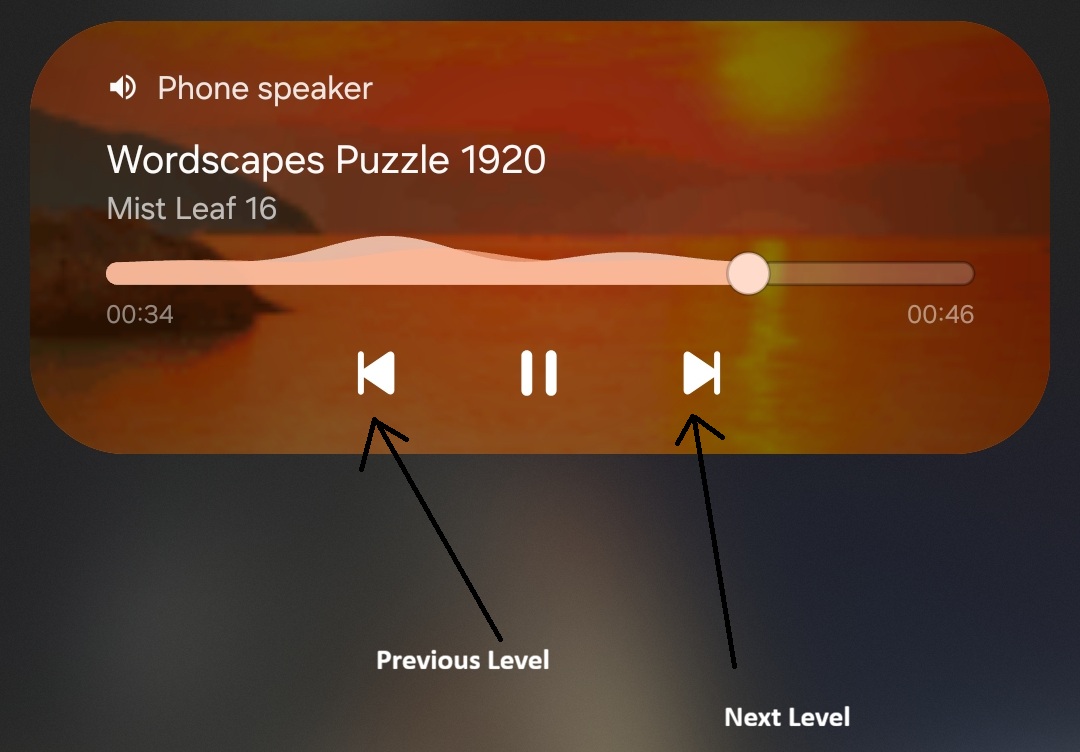
Finished the level? You dont even need to open our website again. Just pull down your phones notification menu or look at your lock screen. You can use the “Next” button to automaticaly skip to the next levels answers, pause, or replay if you missed a word.